 Sintax
How a Grok bot logs kettlebells on your iPhone
The bot may show under another name in Logbook.
Monday is Session A. Two 10 pound bells. Chest and brace.
The bot names the next move. You train. You say you’re done. Sintax writes it to Health. Logbook is the receipt.
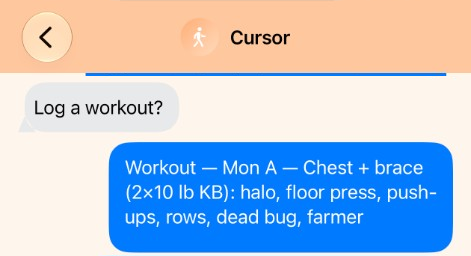
Log tonight’s kettlebell session. Mon A — Chest + brace. Two 10 pound bells. About 40 minutes. Halo, floor press, push-ups, rows, dead bug, farmer.
What workouts did I do yesterday?
Change that title to Session B.
Mon A · Wed B · Fri C · walk the other days · Sunday off · ping 7:27 p.m.
Health on in Permissions. “Kettlebells, Mon A” is a strength session. Title stays “Mon A — Chest + brace.” You see it in Logbook and Fitness / Health, not Calendar. Change or delete only sessions Sintax saved.
ChatGPT, Claude, Gemini, or Muse can log the same way. Grants stay on your iPhone. No Sintax account.
Questions
Can a Grok bot log kettlebells on my iPhone? Yes. You train. You tell the bot you finished Mon A. Sintax writes a strength session to Health. Logbook is the receipt.
Does this work with ChatGPT or Claude? Yes. Same log. Turn Health on in Permissions. Paste How to connect if that assistant needs it.
Is this a Watch workout plan? No. Plans are “remind me to walk.” This page is a session you already did.
Can it delete a workout from Apple Watch? No. Only sessions Sintax saved. Delete the others in Health.
What is Sintax? A companion on your iPhone so the assistant you already use can do the work you allow. No Sintax account.